
Refund decisions
Decide every refund by your rules, not by the loudest ticket
A versioned policy decides first, a model explains the edge cases, and a person approves what needs one.
- Policy decides, a model only explains
- Every decision pinned to a published version
- A full trace and audit record per case
Order #40192
Arrived damaged
$189.00
The rule that fired
Damaged items above the auto-approve limit
Policy v7, published
Outcome
RefundedInputs and outcomes
Signals in, decisions out
What Lumtry watches
- Refund requests from Shopify, WooCommerce, BigCommerce, Amazon Returns, eBay and helpdesk tickets
- Order value, reason, history and the signals your policy conditions on
- Cases your policy routes to a person, and how long they wait
- Processor outcomes from Stripe and PayPal, including failures
What you get
- A deterministic, versioned policy with shadow mode before it acts
- Approvals in the dashboard, Slack, Gorgias, Zendesk or by phone
- Execution with explicit compensation when a step fails
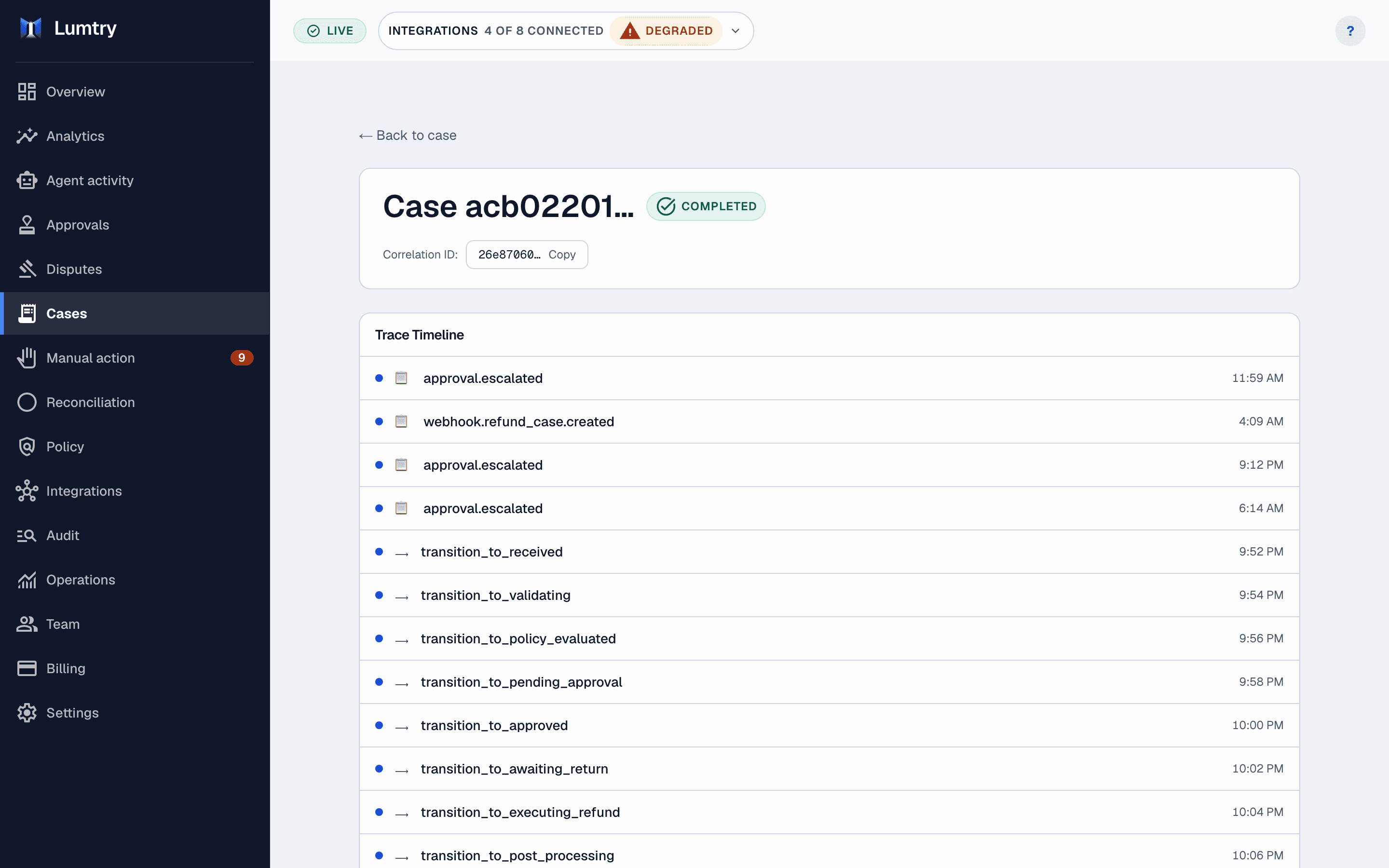
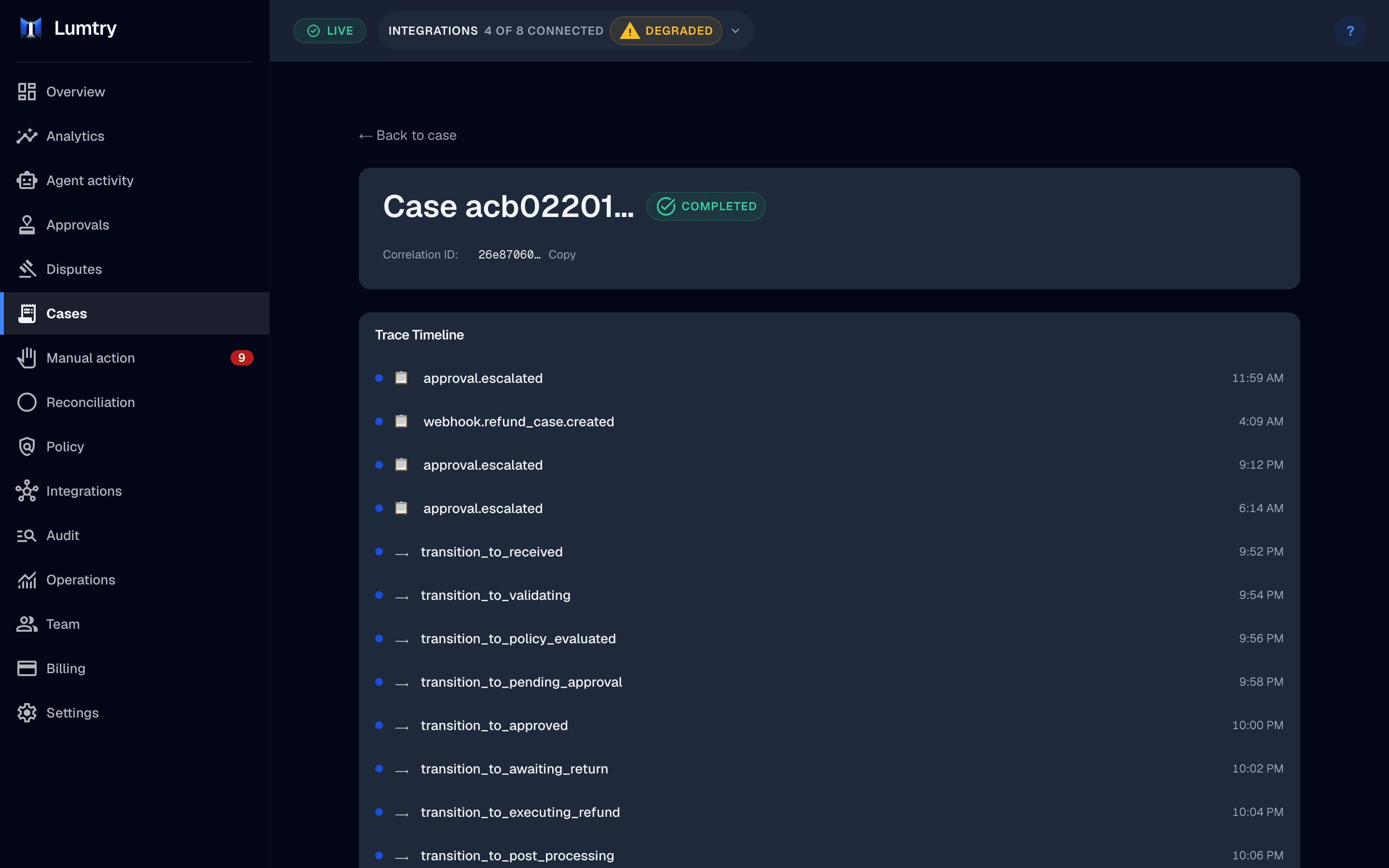
- A decision trace and append-only audit record for every case
Follow one case
One damaged order, from request to refund
A sample case on a Shopify store with Stripe payments. Under 20 minutes end to end, and most of that was waiting for a person.
Order #40192
Arrived damaged
$189.00
- 09:14:02
Request received
The Shopify refund request lands as one case with the order, the items and the shopper's photos.
- 09:14:03
Policy v7 evaluated
The amount is above the auto-approve limit for damaged items, so the rule asks a person.
- 09:14:05
Model explains the case
An advisory summary lists the photos, the order history and the rule that fired. It cannot approve or deny.
- 09:31:40
Approved in Slack
An operator approves from a single-use Slack link, and Lumtry re-checks the case before it acts.
- 09:31:44
Refund sent through Stripe
The refund runs once, under an idempotency key, and every step lands in the audit log.
Refunded
The rule that fired
Damaged items above the auto-approve limit
- When
- IfThe reason is damaged in transit
- AndThe amount is above your auto-approve limit
- AndThe order is inside your return window
- Then
- Ask a person to approve, in Slack or the dashboard
The rules are yours: edit them on the canvas, test them in shadow mode, then publish a new version.
How it works
Four steps from request to recorded refund
Capture the request
Storefront, marketplace, helpdesk and API requests land as one case type.
Apply the policy
The published policy version decides approve, deny or ask a person.
Route the approval
People who need to decide get the case in the channel they already use.
Execute and record
The refund runs through your processor and every step lands in the audit log.
Who it is for
Built for the people who own refunds
Owners and ops leads
Set the rules once and see which ones fire, without reading every ticket.
CX leads
Give agents clear outcomes and keep judgment calls for the cases that need them.
Finance
Reconcile refunds against processor records with a trail an auditor can follow.
Works with
Connects to the tools you run
Shopify
Orders and refund requests in, refunds and store credit out.
WooCommerce
Orders and refund requests from your WooCommerce store.
BigCommerce
Orders and refund requests from your BigCommerce store.
Amazon Returns
Marketplace return notifications into one case queue.
eBay
Marketplace return notifications into one case queue.
Stripe
Refund execution and dispute notices.
PayPal
Refund execution and dispute notices.
Slack
Approval requests with approve and deny actions.
Gorgias
Tickets become cases and decisions post back as notes.
Zendesk
Tickets become cases and decisions post back as notes.
Twilio
Voice approval calls in the US.
AI-assisted reasoning: see pricing for the plans that include it.
Questions
Questions, answered
Still unsure whether it fits your store? The team building Lumtry answers every message.
Does a model decide refunds on its own?
No. A deterministic policy makes the decision. Model-assisted reasoning summarizes context and suggests rules, and anything your policy routes to a person waits for that person.
Can I test a policy before it moves money?
Yes. Shadow mode shows what the policy would have decided on real cases without executing anything, and backtests replay past cases against a draft version.
What happens when I change the policy?
Publishing creates a new version. Cases already in progress keep the version they started with, so a change never rewrites a decision halfway through.
Where do approvals happen?
In the Lumtry dashboard, in Slack, inside Gorgias or Zendesk, or by voice call through Twilio or Telnyx. The dashboard stays the source of truth.
Which payment processors are supported?
Stripe and PayPal. If a step fails after money moves, Lumtry runs the matching compensation or parks the case for a person.
What does the audit trail record?
Every decision, approval and processor call, with who or what acted, the policy version used and a correlation ID. Audit records are append-only.
Related solutions
More ways Lumtry helps
Put your refund policy in charge
Try it on the sample workspace, then connect your store in shadow mode.